Quantex GmbH
DE RU EN EL
Your region: Europe

Contacting technical support


Overview

The Clients program is designed for tracking completed work and storing diagnostic information obtained from the ScanDoc program.

The program lets you save and view data held in the clients database. You can also generate a report and print it or save it on your computer.


Working with requests

Creating a request

We value your time, which is why we have tried to make contacting technical support as simple as possible. Requests related to the scanner are made in the scandoc.online program while you work.
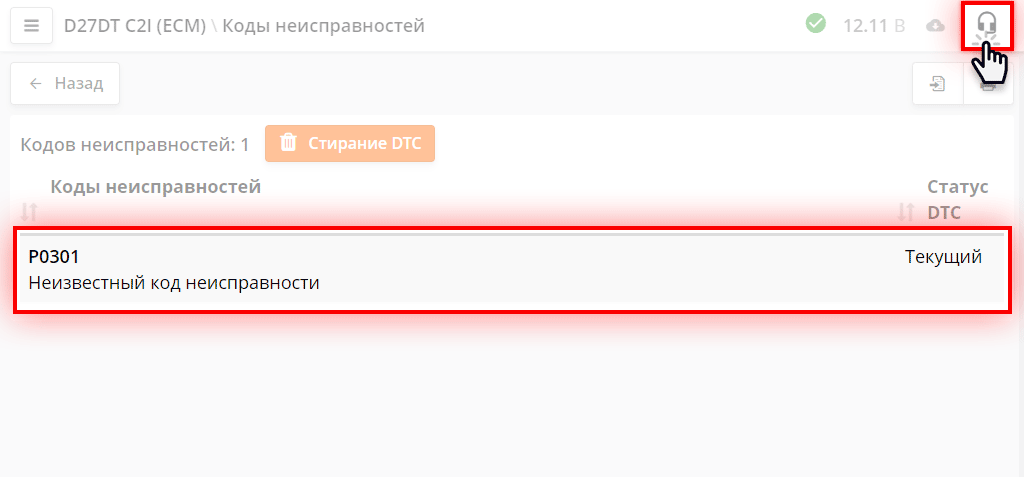
Undecoded DTC error in the ScanDoc program

If you encounter an error (for example, an undecoded DTC code), click the technical support button in the top-right corner of the window.

A new request window will appear.
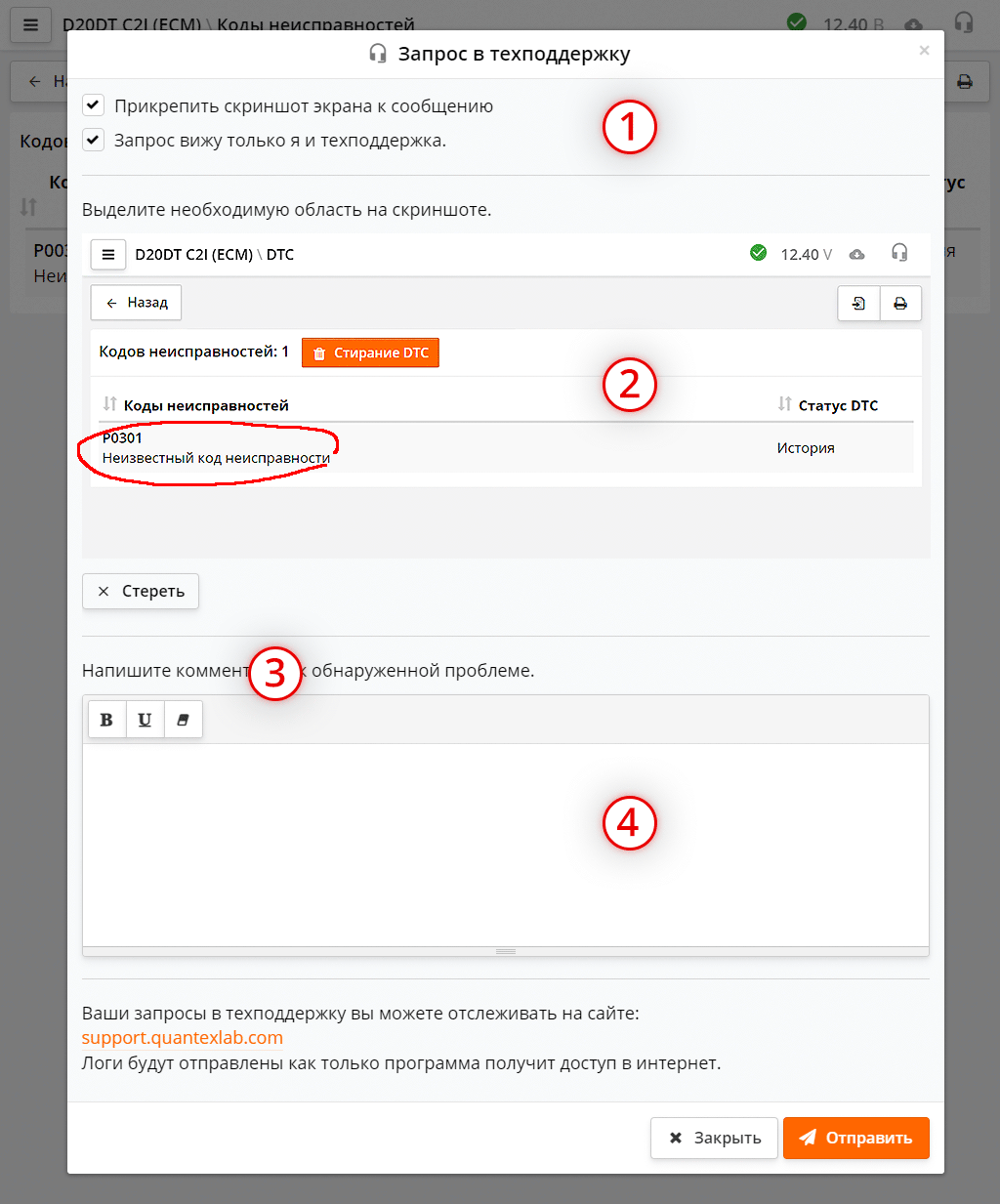
Technical support request window
  1. You may choose to:
    • Attach a screenshot to your request.
    • Mark the request as "private", so it is visible only to you and the support staff. Other ScanDoc users will not be able to read your message.
  2. The screenshot, on which you can highlight the relevant area by drawing any shape. To draw, drag your finger or the mouse cursor over the area you want to highlight.
  3. Everything you have drawn on the screenshot can be removed by clicking the Erase button.
  4. Here you can write a comment for your request. Your comment will be used as the title of the technical support request.
  5. Click the Send button — your request is now sent. You can continue working on other vehicles or systems.

    You can track your support requests on the site: support.quantexlab.com. Logs will be sent as soon as the program gets internet access.